- Cluing
- Posts
- Not another note. A system that thinks with you.
Not another note. A system that thinks with you.
Two smarter ways to save what matters 📍

Gordana from Collabwriting
July 25, 2025
The other day, I saw someone say this on Reddit:
I save SO much content - articles from Reddit, videos from YouTube, posts from social media, links from newsletters. My bookmarks folder has like 500+ items, my "Read Later" lists are overflowing, and honestly... I never actually go back to organize or use any of it.
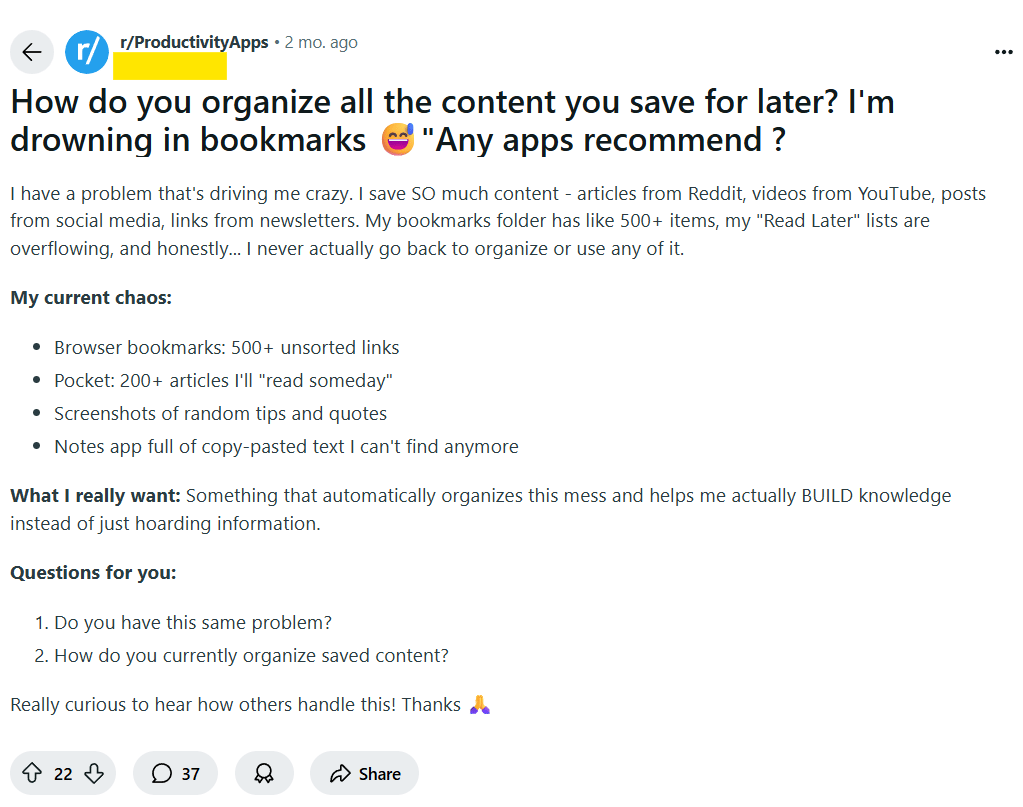
That stuck with me because this is exactly where most of us get stuck.
We collect, bookmark, save - but then WHAT?
Most systems promise better organization or more connections, but often they don’t fit the reality of how we actually work.
You need a method that helps you use what you save - quickly, collaboratively, and without overwhelm.
That’s why I started designing better research workflows - first for myself, then for others. I wanted something flexible but structured enough to help me finish what I start.
And today, I’m sharing two simple methods that work whether you’re writing a blog post, analyzing trends, preparing for a client call, or just exploring a new topic.
Both methods shine if you’re using Collabwriting, because it gives you:
✅ An Inbox Cluster for lightning-fast bookmarking
✅ Organizing snippets into separate Clusters and Topics
✅ Comments, tags, and mentions to keep context alive
✅ Easy export of topics or snippets when you need to share or publish
But even if you use another tool, the logic still applies.
🧠 Method 1: Cluster Thinking - Mapping the Big Picture
This method works across the board - whether you're researching scientific topics, planning a campaign, or collecting ideas for future writing.
Use it when you’re still exploring and trying to get a broad understanding of a topic or project.
Inbox Topic
Start by saving any interesting idea or insight into your Inbox Topic - the temporary holding place where nothing is judged, just collected.
With Collabwriting, bookmarking webpages or saving highlighted snippets is fast and seamless.
Create Separate Clusters
Next, create Clusters - broad categories that represent your main areas of focus. These could be projects or big themes like:
Marketing
Design
Competition
Newsletter
Define & Create Topics
Within each Cluster, create Topics - more specific, actionable groups that help you break down the Cluster into manageable pieces.
For example, under Marketing, you might have:
B2B LinkedIn Strategies
Content Ideas for Q3
Competitor Campaign Analysis
Sort Snippets from Your Inbox
Move snippets from your Inbox into the appropriate Topics within each Cluster. Add tags and mention others if you want to share insights.
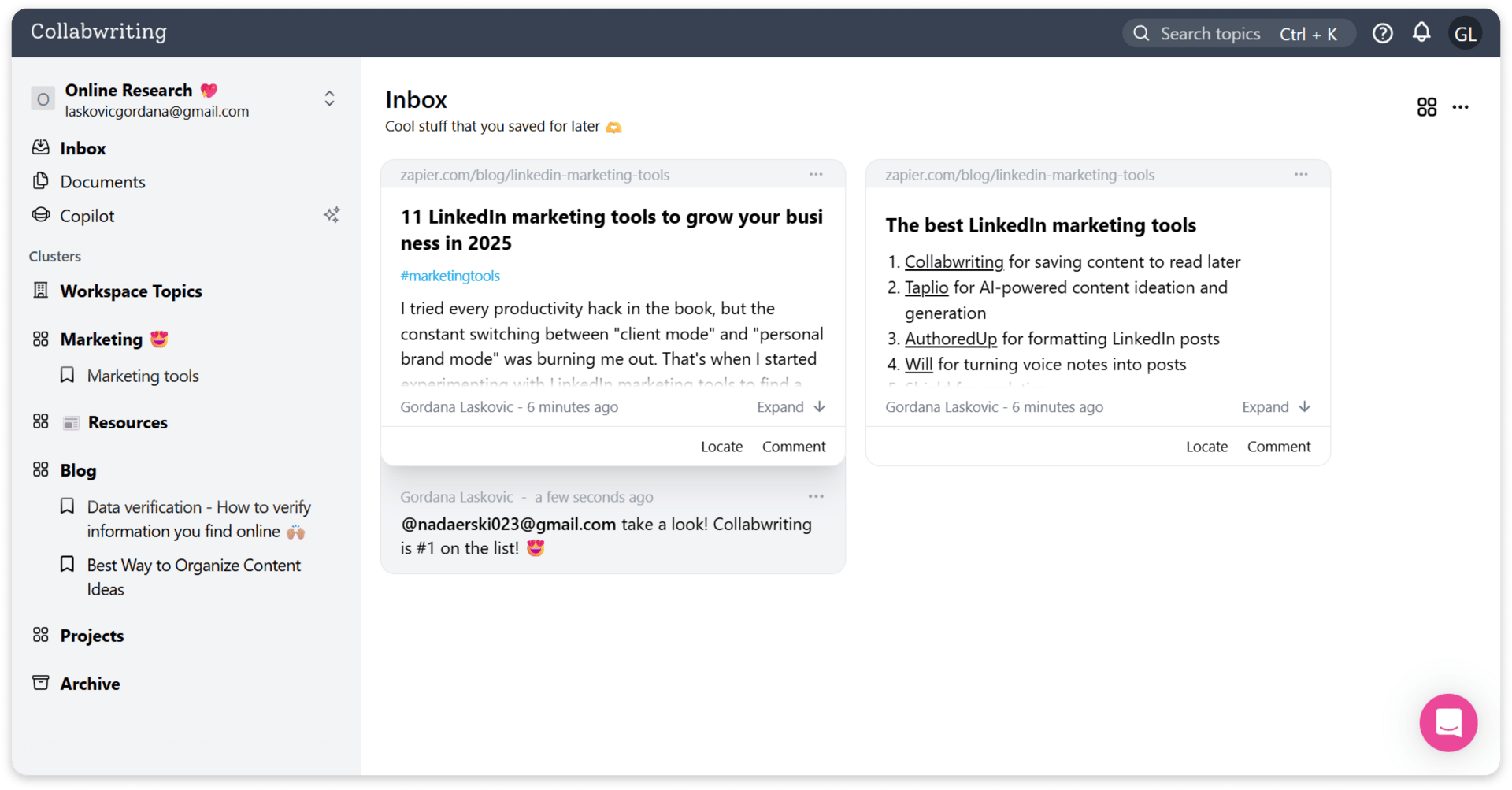
By continuously organizing snippets this way, your Clusters and Topics evolve into a living knowledge base that grows with your thinking and helps you spot meaningful patterns and connections.
🔄 Method 2: Snippet Loop - From Insights to Action
When you’re ready to move beyond just collecting and start using your research, whether you’re writing, presenting, planning, or collaborating, switch to the Snippet Loop.
Go through your snippets inside Topics with clear intent.
Focus on what’s relevant for your current goal.
Add context-rich comments that explain why you saved a snippet or how you plan to use it.
Use tags to track the status of each snippet (#to-use, #needs-review, #quote, etc.).
Collabwriting lets you mark snippets as done, so you can close the loop and track progress on each insight.
When you finish working on a Topic, archive it to keep your workspace clean but still have access if you need it later.
And when it’s time to share your work - reports, presentations, client deliverables - you can export snippets or entire Topics instantly, saving hours of manual copying and ensuring accuracy.
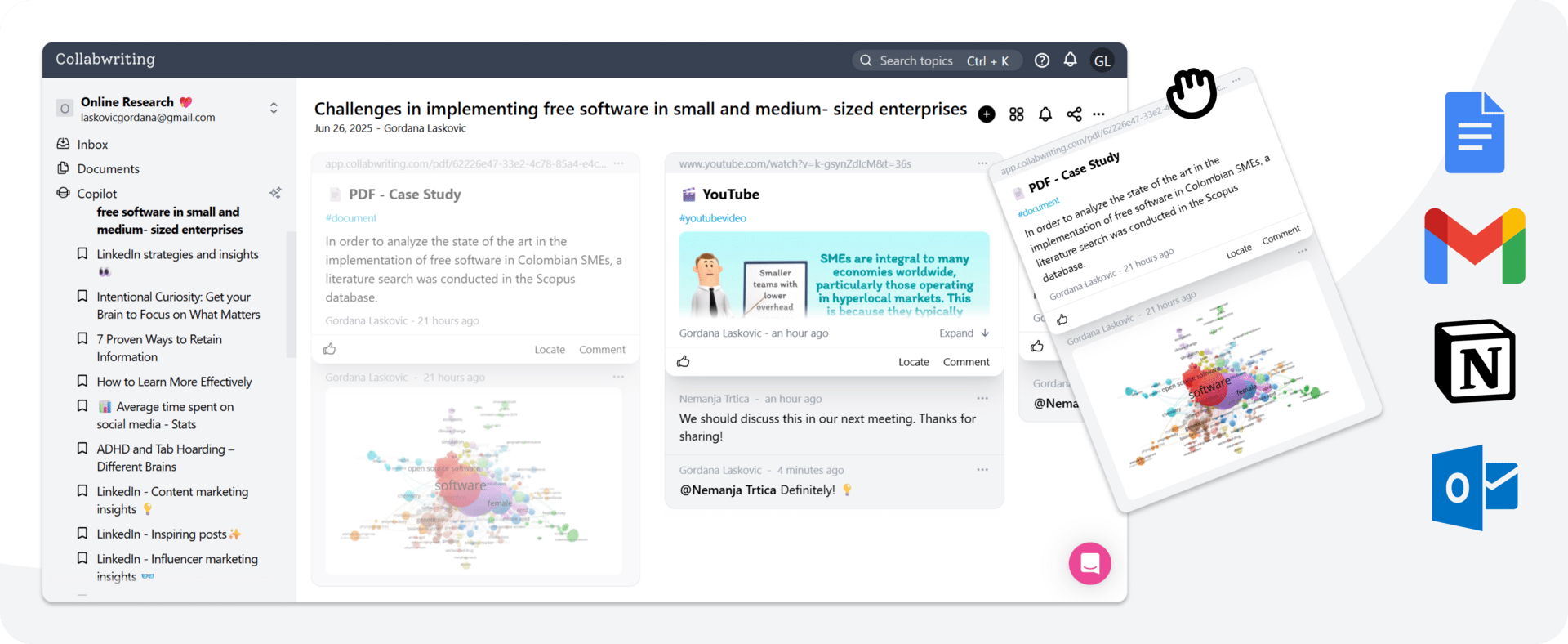
The Snippet Loop transforms your research from static storage into a dynamic, actionable knowledge hub - one that grows stronger the more you use it. It’s a loop because you’re constantly coming back, sharpening your notes until they become answers.
Let’s say you’re working on a content strategy for a new product launch.
You’re not just saving random info anymore. You’re looking for:
Proven headline formulas you can adapt
Data points that support your messaging
Customer objections you need to address
Content gaps you can fill
With every snippet you save, you're asking: What am I going to do with this?
That question keeps your research alive and your thinking active.
Why do you need both?
Cluster Thinking is for gathering and organizing - it helps you see the whole landscape and build context.
Snippet Loop is for processing and applying - it helps you move forward without drowning in clutter.
Use them together, and you’ll turn research into real results, faster, clearer, and less stressful.
This is how modern knowledge work happens: active, collaborative, connected and designed to grow with you.
If you still feel stuck or unsure how to get started…
Maybe these articles can help:
If you come across an article, picture, meme, or anything else you think is worth sharing, feel free to send it my way. I might include it in the next newsletter! 💗
📩 Reach out at: [email protected]
Also, a big thanks to Kiran Shahid for recognizing Collabwriting as a tool that helps you grow your business - check out her full list of top marketing tools here. 👈🏼
Until next time
Gordana
Community Manager @ Collabwriting
